
JSON Viewer
Format, validate, minify or prettify JSON data.
Runs on your machine. Nothing you paste is uploaded.
Get JSON Viewer and 121 other tools. Free for 7 days, no account needed.
What it does
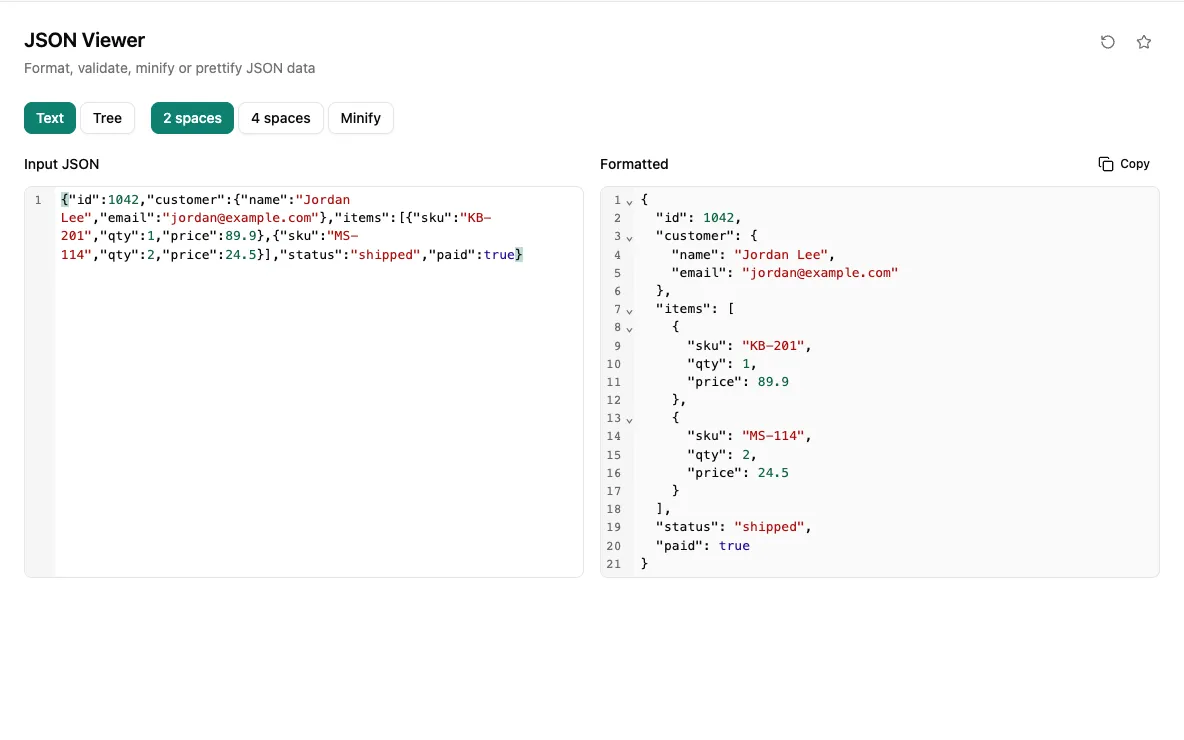
Paste a JSON string, such as a one-line API response or a log entry, and see it parsed and pretty-printed in a second editor with syntax highlighting. Invalid JSON is not silently passed through: the parser's error message appears below the editors so you can find the broken spot.
Switch between 2-space and 4-space indentation, or collapse everything to a single line with Minify, then copy the result. You can also drop a .json file onto the input. Parsing happens on your machine, which matters when the payload contains customer records, tokens or internal configuration.
When you would reach for it
- Read a minified API response copied from the browser's network tab.
- Find out why a config file fails to load by checking the parser's error message.
- Re-indent JSON to 2 or 4 spaces to match a project's style.
- Inspect a payload with personal or internal data without pasting it into a website.
Also found by searching
- json
- format
- viewer
- beautify
- validate
- minify
- prettify
- compress